Your passwords. Your devices. Your shared folder.
Wormwright Vault is a desktop password manager for people who want to keep an encrypted vault on their own computers and share updates through a network folder they control. Use it for yourself across several devices, or share selected entries with family members and a small team through the optional Wormwright Vault Manager.
More than website passwords
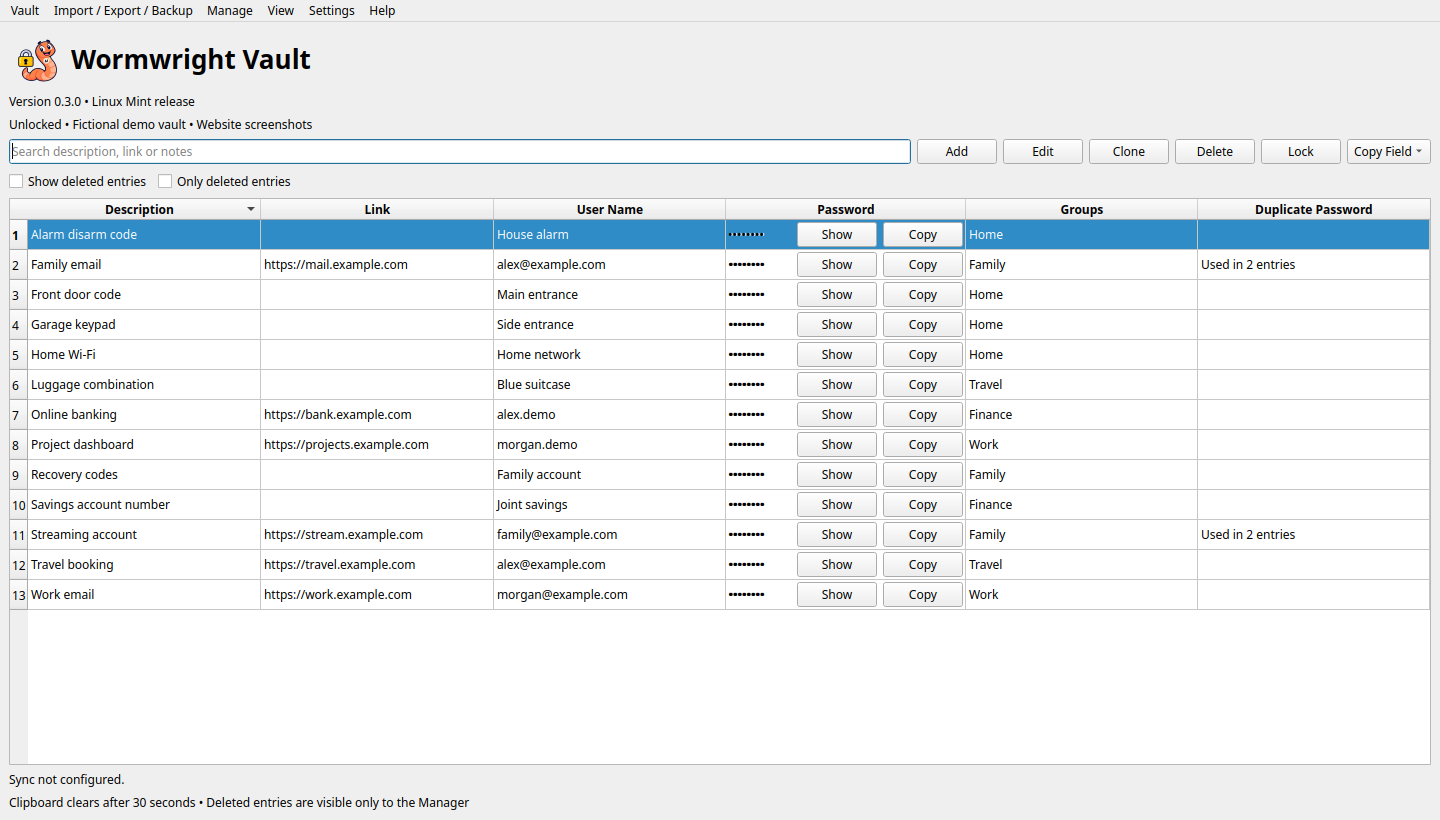
Useful secrets do not always belong to a website. Wormwright Vault can keep a locker combination, a bank account number, a house-alarm disarm code, a smart-lock access code, a PIN or a recovery code alongside your online account passwords. Give each entry a clear description, store the sensitive value in its encrypted password field, and use encrypted notes for context. A website link is optional.
Its standalone interface helps you find and use that information wherever you need it: at a door, on another computer or while traveling. You can copy a value without displaying it, or open the large display for easy reading. The same group permissions, exclusions and locking controls apply to these entries. This broader storage workflow is a key focus, although other password managers may also support non-website information.
Work offline. Reconnect when you are ready.
Each computer keeps a local working vault, so you can look up, add and edit passwords while traveling or away from your home office. When you reconnect to the configured shared folder, the app synchronizes changes with the shared master copy. Compatible mounted SMB or FTP shares can provide that common meeting point. A VPN or Twingate can provide access to your network, provided the computer can reach and mount the share.
Automatic sync has an adjustable interval and supports startup, unlock, entry changes and closing. It can transfer encrypted changes while locked, as long as the app is running. Independent entry edits can merge; competing edits require review. Changes cannot reach an offline device until it reconnects and successfully syncs.
Simple for one person. Flexible for several.
One person needs only the basic Vault app, whether using one computer or several. Multiple devices do not require multiple accounts or the Manager app. The everyday interface offers search, editing, random password generation, duplicate-password indicators, copy controls and a large password display for easy reading.
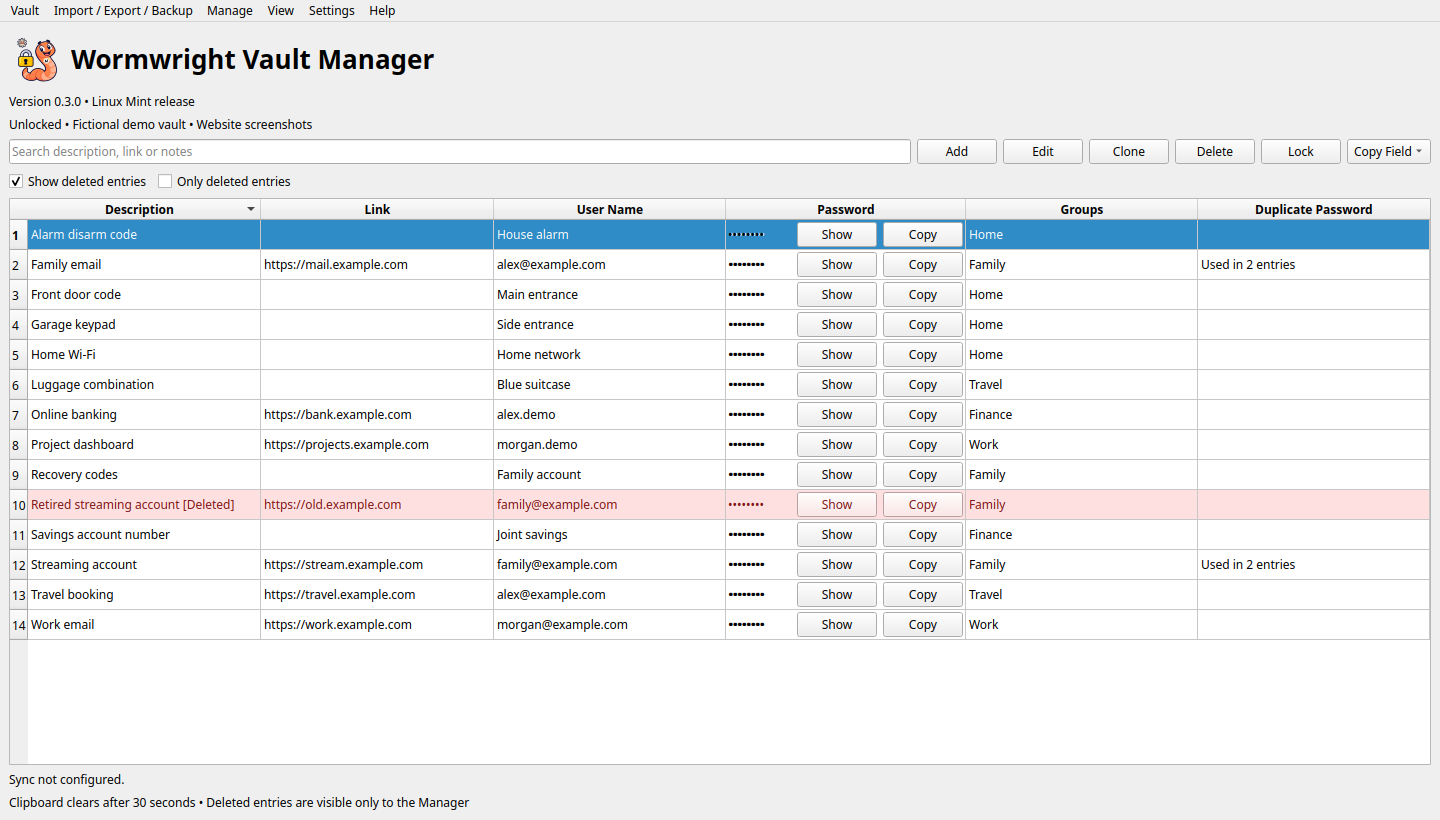
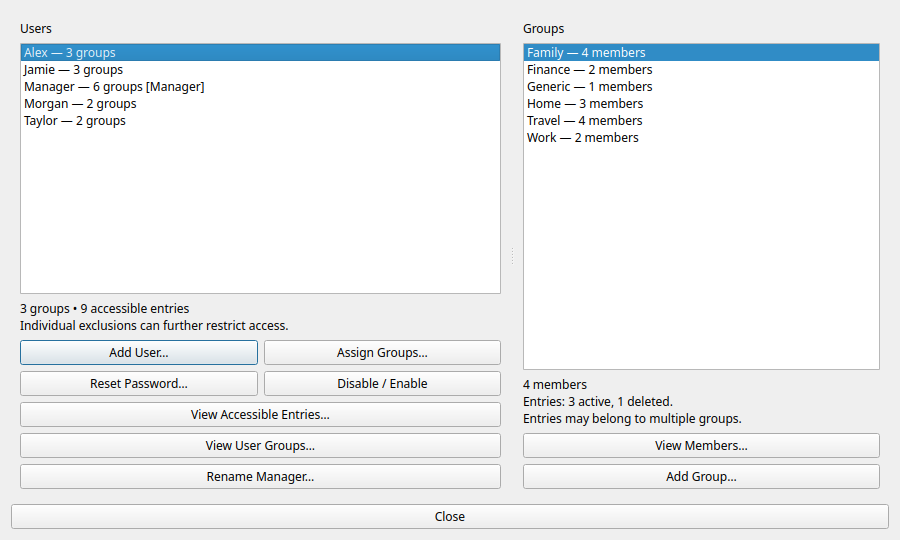
For a shared multi-user vault, the Manager creates separate accounts, assigns users and entries to one or more groups, and excludes individual entries when necessary. Ordinary users can create, edit and soft-delete entries they are permitted to access. Restricted entries stay hidden. The Manager can review deleted entries, restore them, permanently remove records, reset credentials and disable accounts.
The two app views can run together using one shared session, so administration and everyday work stay coordinated. Opening the Manager view does not grant administrative rights: the signed-in account determines access.
Protection built into daily use
- Encrypted vault contents: per-entry encryption and user-specific key access protect saved credentials. User and group details and exclusions are encrypted; signed records and policies help detect unauthorized changes. Some routing metadata and file characteristics remain visible.
- Separate account credentials: managed users have their own passwords and optional compatible FIDO2 YubiKey enrollment using PIN and touch, with password fallback.
- Adjustable automatic locking: an inactivity timeout locks the session. Unlimited is available with a warning; both app views lock together.
- Less on-screen exposure: passwords remain masked until requested. Copy a password without displaying it; the app clears its clipboard value after 30 seconds and on locking. External clipboard history tools may retain it.
- Controlled exports: CSV export requires reauthentication. CSV files are unencrypted. Manager-only Export Database instead creates a consistent encrypted copy for a new device or a lost-file replacement.
- Emergency Lockdown: the Manager can disable all ordinary accounts while retaining administrative access and attempt immediate publication to the shared master. Other devices lose access after successfully downloading that update.
- Recovery and review: encrypted backups, configurable automatic sync backup retention, soft deletion and explicit conflict resolution support recovery without silently discarding competing edits.
AI assistance without handing over your passwords
Local integration hooks let a configured assistant start or focus Wormwright Vault and request a lookup, such as “Look up my Gmail password.” If the vault is unlocked, the app searches and selects entries with passwords masked. If it is locked, it presents authentication first and completes the lookup after you unlock.
The lookup interface returns acknowledgments, not passwords, entry contents or match counts. It cannot unlock the vault, reveal passwords or copy them through the hook. You choose when to show or copy a password inside the app. These hooks provide a foundation for future AI integrations; voice recognition and assistant configuration are supplied separately, rather than built into the vault.
A different fit for password management
Wormwright’s focus is a local desktop workflow with a shared folder as the sync meeting point. It is a useful fit when you want your own storage, offline editing and selective sharing without operating a hosted password service. Its distinction is that combination, rather than a claim that it is universally better than other password managers.
A simple single-user interface and optional administration views let you begin with personal use and add controlled multi-user sharing later. Searchable offline Help, an optional disposable demo vault and step-by-step setup guides make it easier to learn and test.
What it is—and what it is not
Wormwright Vault is intended for personal, family and small-team desktop use with local working copies and a mounted shared folder. It does not currently provide HTTP/HTTPS vault syncing or a hosted web service. Remote access through a VPN still uses the shared-folder workflow. FTP itself does not provide transport encryption; choose a protected connection appropriate to your network.
It is not currently a browser autofill extension, a mobile password manager or an enterprise identity-management service. The current release supports Linux Mint 22.x on Intel/AMD 64-bit computers (amd64), with glibc 2.39 or newer. Cinnamon and XFCE are the intended desktop environments. Earlier Mint versions, ARM, other distributions, Windows, macOS and mobile apps are not included in the current support claim. Android for Pixel 10 running GrapheneOS is the next planned platform; no Android APK is available yet.
There are practical limits: the app must run for background sync; the share must be mounted, writable and compatible with the required file operations. Permissions changes and lockdown cannot recall passwords already seen, exported or retained in an old offline copy or backup. The Manager can access all entries and has recovery authority. This Linux Mint release has automated checks and user testing; it has not undergone an independent security audit.
Keep control of your storage. Keep working offline. Share only what each person needs.
Download and install
Make an encrypted backup of your working vault and close both apps before upgrading. Download the installer above, then install it with:
sudo apt install ~/Downloads/wormwright-vault-mint_0.3.0_amd64.debOpen Wormwright Vault or Wormwright Vault Manager from your application menu. See the latest GitHub release for release notes and installation details.